
CMOD A7:可面包板Artix-7 FPGA模块产品图像。
  • CMOD A7:可面包板Artix-7 FPGA模块产品图像。
  • Top view product image of the Cmod A7: Breadboardable Artix-7 FPGA Module.
  • Bottom view product image of the Cmod A7: Breadboardable Artix-7 FPGA Module.

CMOD A7-35T:可面包板Artix-7 FPGA模块

目前缺货。估计回报是2022年11月28日。

(16 reviews) Write a Review
Sku:
410-328-35

CMOD,或C到达mOdule,产品家族旨在将FPGA快速,简单,灵活地集成到电路设计,原型制作和学习/业余爱好项目中。

The Digilent Cmod A7 is a small, 48-pin DIP form factor board built around a Xilinx®Artix®-7 FPGA that brings FPGA power and prototyping to a solderless breadboard.

The board includes a Quad-SPI flash for programming, as well as a USB-JTAG programming circuit and USB-UART bridge. The Cmod A7 also features a clock source, Pmod port, and onboard I/O with LEDs and pushbuttons. There are 44 FPGA I/O signals that are routed to 100-mil-spaced through-hole pins, making the Cmod A7 compatible with solderless breadboards. This form factor makes the Cmod A7 a great option for flexible and affordable prototyping, or learning FPGA and digital logic circuits. At just .7" by 2.75", it can also be loaded in a standard socket and used in embedded systems.

Artix®CMOD A7上的-7 FPGA提供了每瓦的织物最高的性能,收发器线路速率,DSP处理和AMS集成,用于成本优化的FPGA。使用Xilinx的Microblaze软处理器核心,您可以使用各种外围设备,内存和接口创建嵌入式应用程序。

If your design does not require the transceiver lines or higher-performance of the Artix®-7 FPGA,我们建议使用Spartan的更实惠的CMOD S7®-7 FPGA.

Guides and demos are available to help users get started quickly with the Cmod A7. These can be found through the支持材料标签。

  • 系统功能
    • 512KB SRAM with an 8-bit bus and 8ns access times
    • 4mB Quad-SPI Flash
    • USB-JTAG编程电路
    • 由USB或外部3.3-5.5V供电连接到DIP引脚
  • System Connectivity
    • USB-UART桥
  • Interaction and Sensory Devices
    • 2个LED
    • 1个RGB LED
    • 2Push Buttons
  • Expansion Connectors
    • 48-pin DIP connector with 44 Digital I/O and 2 Analog inputs (0-3.3V)
    • One Pmod connector with 8 Digital I/O
  • CMOD A7模块
  • 带有防护泡沫的定制Digilent纸板箱

The Cmod A7 can be programmed with Digilent's Adept software. Digilent Adept is a unique and powerful solution which allows you to communicate with Digilent system boards and a wide assortment of logic devices. Find out more about Adepthere

为了为CMOD A7创建和修改设计,您可以使用Xilinx的Vivado Design Suite。Vivado是一种用于HDL设计合成和分析的软件。Vivado Design Suite的Free WebPack版本支持CMOD A7的两个变体。

如果您使用Xilinx的Microblaze软处理器核心,则可以使用Vitis Core开发套件或Xilinx软件开发套件来为您的CMOD A7创建嵌入式应用程序。

快速找到您需要开始的东西,并减少眨眼的平均时间。

All product support including documentation, projects, and the Digilent Forum can be accessed through the product resource center.

资源中心
快速链接

Reference Manual
Schematic

16个评论Hide ReviewsShow Reviews

  • 4
    小但有力

    由Mathias发表于2022年1月16日

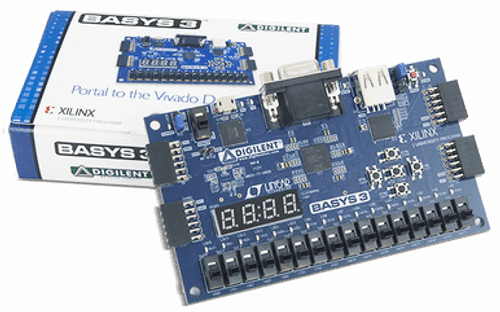
    This is a very nice little board. I like it very much. Bear in mind that the SRAM only has a 8 bit bus. Also the pmod connector does have 4 differential pairs, but you can only use 3, since one of the pairs is not in the same group.

  • 5
    Amazing little board!

    Posted by Marcus on 14th Dec 2021

    到目前为止,这已成为我最喜欢的FPGA董事会。我有一个Riscv32,大量的RAM和ROM,以及我需要的任何外围。我将其用于项目并在工作中测试设备。适合面包板,以便于接线。

  • 5
    Cmod A7

    吉尔发表于2021年11月2日

    强大的小型FPGA板的好价格。如果没有PMOD连接器的板出现,将会很好。

  • 5
    CMOD FPGA董事会工作得很好

    Posted by Marcus Escobosa on 27th Aug 2021

    This is a great little board! I have purchased 2 so far for projects using a riscv32 CPU.

  • 5
    CMOD A7-35T

    Posted by Unknown on 1st Jun 2021

    Worked exactly as expected for a project.

  • 5
    much improved USB connectivity

    Posted by David Fergenson on 19th Feb 2020

    我以前检查这个产品,并指出out that it was not a good module for a beginner but that it was good for an experienced FPGA developer who did not want to have to design an FPGA directly onto a PCB. However, there was a nagging issue with the modules that is no longer true: they now connect flawlessly over USB. They had been picky about cables and took some work to stabilize for programming but they now connect on the first try and are stable.

  • 1
    文档很烂

    由威廉·D·理查德(William D. Richard)博士发表2020年1月22日

    The schematic available for the part doesn't have all of the parts documented in the manual shown. Pretty sloppy. I expect better from DIgilent. I am really disappointed. --Response from Digilent-- Hello, The programming circuit in the schematic is considered proprietary. For additional information, you can contact us at[电子邮件保护]

  • 5
    Exactly what I wanted

    Posted by Tony Peguero on 15th Aug 2019

    这是我的第一个FPGA,这正是我想要的。我考虑了更大的木板,上面有更多内置的铃铛和口哨声,但我认为面包板友好的外形更适合我。板载外围设备很棒,直到您想将这些IO引脚用于其他东西。即使是国际交付,也非常快速的服务。很高兴。

  • 4
    Great for the Experienced; Bad Place to Start

    Dfergenson发表于2019年4月5日

    FPGA-wise, the board is highly capable. For many users, the A7-15 or -35 chips will have plenty of fabric. There are 44 digital I/O pins and 2 analog inputs. There's a Pmod on top, too. With the I/O and onboard flash memory, you will be able to store a fairly complex program and drive a significant number of peripherals from it. But the idiosyncrasies and limitations of the board make it a bad place to start if this is your first design. If you are just starting out in FPGA design, I'd recommend the Basys3. It's worth the extra money. One idiosyncrasy is that the USB connection is far more noise-sensitive than other FPGA PCBs by Digilent. There are forum discussions about this with workarounds so check them out before you buy. Another idiosyncrasy has to do with USB bus powering vs. pin powering. If you are ordering this to embed in a PCB, make sure that you can switch between the two different types of power--harder than it sounds given the noise-sensitivity of the USB port--or else do not connect the PCB pins if you intend to always have it bus-connected. This issue is a feature, not a bug, but make sure to read about it in the manual. As far as PCB-mounting the board goes, there is a forum discussion about the socket mount that can be used to socket the board onto a PCB. And because it's an FPGA, the pins drive 3.3V (and read 3.3V) so make sure that you engineer protection and level shifting if you intend to use them with 5V components elsewhere on the PCB. Normal Pmod protection is not on the board itself--you'll need to follow the schematics and read the Pmod specification to do so correctly. Finally, because of the small size of the board there just aren't the switches, indicator lights and buttons that other Digilent PCBs have. There are a few but not enough to really indicate internal operations with any level of complexity. There's no display port (though you can connect one to the Pmod port). So you will need to either prototype your design on another board or become very conversant with on-chip debugging tools such as Xilinx's Integrated Logic Analyzer IP or the simulation tool in Vivado.